Buying guide · United States 🇺🇸

xTool F2 or F1 Ultra: choose around the materials you want to engrave

Two compact laser systems with different sources. Compare the actual job, working area and workspace requirements before paying for speed or a larger model.

Personalized objects take more than a fast marking speed

An engraver can be useful for a defined stream of gifts, labels or small production jobs. It is much harder to choose sensibly when the brief is simply to engrave anything. The material, finish, size and workspace determine which machine is appropriate long before a sale percentage becomes relevant.

F2 and F1 Ultra are two real alternatives with different laser sources. This guide keeps the comparison on those differences rather than mixing compact marking machines, large cutters and accessory bundles into a single top-ten list.

The short answer

Every pick, side by side

The differences that actually matter, in one table.

Swipe sideways to compare every column.

Every pick, side by side
# Model Laser sourcesPurchase decision Check price
1 xTool F2 15 W diode / 5 W infraredMaterial, work area and complete workspace Check price
2 xTool F1 Ultra 20 W fibre + 20 W diodeMaterial, work area and complete workspace Check price

xTool F2

xTool F2

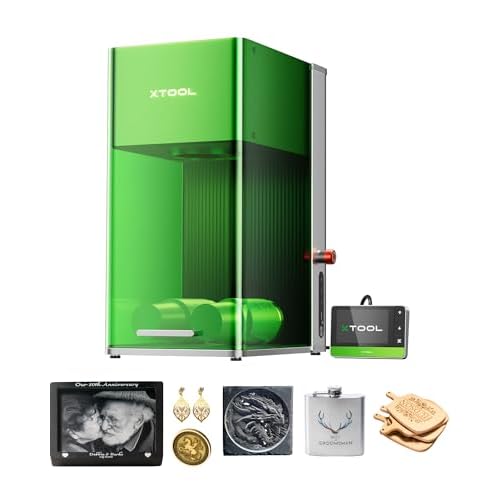
The F2 pairs a 15 W blue diode with a 5 W infrared laser in a compact engraver. Start with the materials and item size you actually sell: its standard work area is 115 × 115 mm. xTool classifies it as Class 4, so its cover must not be read as permission to use it on a shop counter without appropriate eye protection and fume extraction.

F2 is the option to examine when a compact marking workflow and its specific diode/infrared combination match the materials you intend to use. The standard 115 × 115 mm working area is an important constraint for a finished item, not just for the artwork. Include room for positioning, extraction and the protective setup before treating the machine as suitable for a small counter.

Get it if: you need a compact engraver and can provide the workspace precautions in the manual.

What we like

  • Two laser wavelengths
  • Compact standard work area

Keep in mind

  • Extraction and appropriate eye protection are still required
  • Material compatibility differs between the two lasers
15 W diode / 5 W infrared115 × 115 mm standard areaClass 4
Check price on Amazon → Available at Amazon

xTool F1 Ultra

xTool F1 Ultra

The F1 Ultra combines fibre and diode lasers for a wider range of marking and engraving jobs. It is worth considering when metal work is central to your use, rather than buying extra power for occasional wooden gifts. Budget for suitable extraction, fixtures and any rotary accessory; the laser alone is not a complete workshop.

F1 Ultra uses 20 W fiber and 20 W diode sources, giving it a different material-processing profile from F2. This is a reason to compare sample jobs, not to call it universally better. The job’s material, coating, desired mark and dimensions should determine which source is useful. Budget for fixtures and compatible accessories only when your projects need them.

Get it if: metal engraving is a regular task and you can prepare a suitable work area.

What we like

  • Fibre and diode laser combination
  • Camera-assisted alignment

Keep in mind

  • Accessories and extraction add to the total cost
  • Each material needs suitable settings and a test piece
20 W fibre + 20 W diodeCamera-assisted positioning
Check price on Amazon → Available at Amazon

Define a sample job before comparing machines

Start with the exact material, coating, item size and result you want. Marking a surface, engraving more deeply and cutting through stock are different operations. A product photograph showing one attractive sample does not establish that every similar-looking material can be processed in the same way.

Find the manufacturer’s guidance for the exact material and laser source. Unknown coatings or plastics are not a good place to improvise. For a planned batch, allow time and material for test pieces, positioning and cleanup before promising a finished result.

What changes between F2 and F1 Ultra

F2 pairs a blue diode with an infrared source; F1 Ultra pairs a fiber source with a diode. The useful difference is which process fits the material and desired finish. Power numbers from different source types cannot be treated as a universal ranking of how well an object will engrave.

Working area, object height, positioning and any rotary or conveyor accessory also matter. Check whether the item can be held securely through the planned job. Accessories may extend a particular workflow, but they do not make every material compatible.

The workspace is part of the purchase

xTool identifies F2 as a Class 4 laser. Follow the exact model’s requirements for eye protection, controlled access, protective arrangements and extraction. A compact enclosure or tinted cover should not be treated as permission to ignore the manual or expose people nearby to the process.

Plan where fumes go and how the work will be supervised. Keep the work area appropriate to the material and process, and follow the manufacturer’s fire-safety instructions. These are practical installation requirements that belong in the budget before the machine arrives.

Price a finished workflow, not only the engraver

Include the protective setup, extraction, suitable fixtures, test stock and any genuinely needed accessory. If the intended project fits the smaller machine and its source combination, a larger discount on another model may still be the more expensive choice.

We have not run a controlled engraving comparison and do not give an invented performance score. The sources establish the machine types and requirements; your material tests establish whether the chosen workflow produces the finish you need.

How we rank

We compare the linked models using manufacturer specifications and the independent reviews identified beside each product. We have not tested these products ourselves. The order follows different household needs, not a laboratory score. Prices and bundle contents can change; check the selected model at checkout.

2products compared in this guide

Frequently asked questions

Is F1 Ultra automatically better because it has higher power figures?
No. The source type, material and process determine the relevant comparison. Check guidance for the exact job.
Can I use unknown plastic scraps for test pieces?
Use only materials the manufacturer identifies as suitable for the process. Unknown composition and coatings make casual testing inappropriate.
Does the sale price cover the whole setup?
Not necessarily. Include required protection, extraction, suitable fixtures and accessories needed for the actual workflow.

Keep researching

Related guides our readers compare against this one.

xTool F2
Check price